
When Keyboard and Mouse Work Tighten Your Whole Upper Body
If you work as a developer, designer, or in any office role, you probably spend most of your day with your hands on a keyboard and mouse. At first it feels manageable, but over time you may notice your neck, shoulders, and lower back all starting to feel tight at the same time.
Health authorities and ergonomic guides repeatedly warn that long hours of computer work in the same posture can increase the risk of musculoskeletal problems such as forward head posture, neck and shoulder pain, and lower back discomfort. The good news is that short, regular stretch breaks can help reduce stiffness and give your body a chance to reset.
I tested this 15-minute routine on days when my neck, shoulders, and back all felt heavy after work, and even one round made it easier to sit and focus without constantly shifting in my chair.
Important Note Before You Start
This routine is for everyday stiffness and mild discomfort in your neck, shoulders, and lower back, not for diagnosing or treating serious pain, injuries, or spine conditions. If your symptoms are severe, new, or persistent—or if you have numbness, weakness, or dizziness—consult a healthcare professional before starting or changing your routine.
Many resources for desk workers recommend adjusting posture, taking regular breaks, and using gentle stretches to help prevent work‑related musculoskeletal discomfort. Think of this 15-minute routine as one helpful piece in that bigger picture.
Overview: A 15-Minute Routine for Neck, Shoulders, and Lower Back
This routine is designed for:
- Developers and designers
- Office and remote workers
- Students who type or use a mouse for long periods
You can do all of the movements:
- Sitting in your chair, or
- Standing just beside your desk
The routine is structured as:
- Neck release: about 5 minutes
- Shoulders and chest opener: about 5 minutes
- Lower back and pelvis reset: about 5 minutes
These stretches are similar to those commonly recommended in desk‑stretch guides to relieve neck, shoulder, and back stiffness from computer work. They are not about pushing your limits, but about gently moving areas that stay locked all day.
If your main issue is your lower back after long sitting, you might also like:
👉 15-Minute Back Stretch Routine for Desk Workers.
Step 1 – Neck Release (About 5 Minutes)
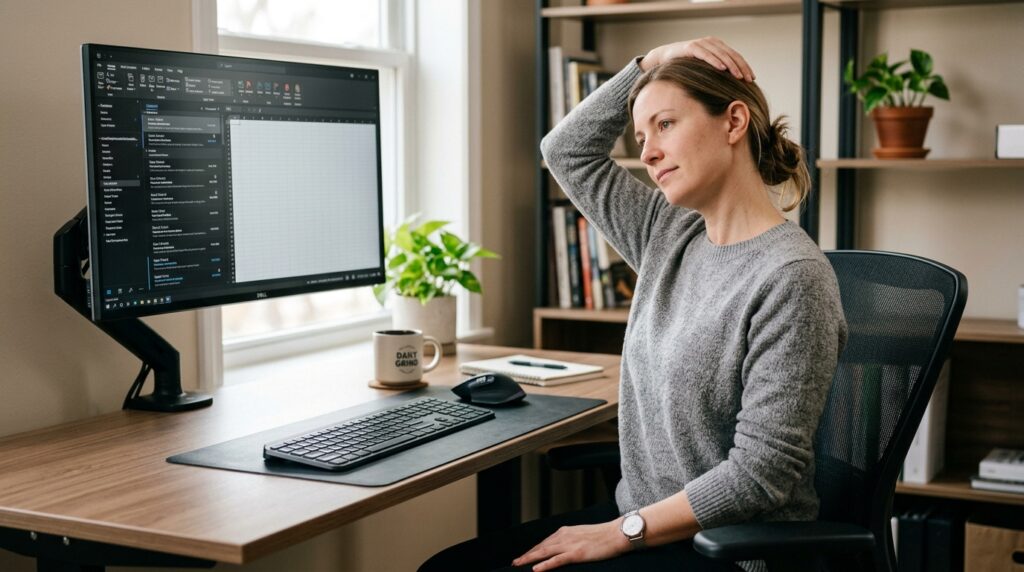
When you focus on the screen and keyboard, your head tends to drift forward and your eyes aim slightly down. Over time, the muscles at the back and sides of your neck can become overworked and stiff.
Side-of-Neck Stretch
- Sit upright in your chair and let your shoulders drop away from your ears.
- Place your right hand on the left side of your head, above your ear.
- Gently tilt your head toward your right shoulder until you feel a stretch along the left side of your neck.
- Keep your left shoulder heavy and relaxed, not lifted.
- Hold for about 15 seconds, then slowly return to center.
- Repeat on the other side.
- Do 2–3 slow repetitions each side.
Move slowly and stay in a range that feels like a comfortable stretch, not a sharp pull.
Gentle Chin Tuck
- Sit tall with your spine as straight as is comfortable and look straight ahead.
- Gently draw your chin straight back, as if making a small double chin.
- Imagine the back of your head lifting up toward the ceiling as your neck lengthens.
- Hold for about 10 seconds and then relax.
- Repeat 5 times with smooth breathing.
This movement helps counter forward head posture by bringing your head back over your shoulders and waking up the deep neck muscles.
If neck and shoulder tension are your main concern, you may also find this routine helpful:
👉 15-Minute Neck and Shoulder Stretch Routine for Desk Workers.
Step 2 – Open Your Shoulders and Chest (About 5 Minutes)
Long hours at a keyboard and mouse often mean:
- Shoulders rolling forward
- Chest muscles shortening
- Upper back muscles being pulled long and tight
These stretches focus on reversing that pattern.
Shoulder Shrug and Release
- Sit or stand tall.
- Inhale and lift both shoulders up toward your ears.
- Exhale and roll your shoulders back and down in a big, smooth circle, letting them drop.
- Repeat this motion about 10 times at a relaxed pace.
This simple movement helps loosen tension around your upper shoulders and improves blood flow after long periods of stillness.
Chest-Opening Stretch
- Sit toward the front of your chair.
- Interlace your fingers behind your back.
- Gently draw your hands down toward the floor as you lift your chest slightly forward.
- You should feel a stretch across the front of your chest and the fronts of your shoulders.
- Hold for about 15 seconds, then relax.
- Repeat 3 times.
This stretch helps counter rounded shoulders and a collapsed chest by opening the front of your body.
Many guides for desk workers include shoulder rolls and chest openers like these to reduce upper body stiffness and support better posture at the computer.
Step 3 – Lower Back and Pelvis Reset (About 5 Minutes)
When you sit for long periods, your lower back muscles can become stiff and your pelvis may roll backward, increasing strain on your lumbar spine. That stiffness can make your posture collapse more quickly and cause your lower back and hips to feel tight.
Seated Cat–Cow for Your Lower Back
- Sit near the front edge of your chair with your feet planted firmly on the floor.
- Place your hands lightly on your thighs.
- Inhale and gently arch your lower back, lifting your chest and looking slightly upward.
- Exhale and draw your belly button toward your spine as you round your lower back and let your head drop slightly.
- Move slowly between these two positions about 10 times with your breath.
This controlled movement helps wake up the muscles around your lower back and can ease the “stuck” feeling after long sitting.

Side Bend for Waist and Lower Back
- Sit or stand tall.
- Raise your right arm overhead.
- Gently lean your upper body to the left, keeping your chest facing forward, until you feel a stretch along the right side of your waist and lower back.
- Hold for about 15 seconds, then return to center.
- Repeat on the other side.
- Do 2–3 repetitions on each side.
This stretch targets the side of your lower back and waist, which can feel compressed and tight when you stay in one seated position for too long.
If you often feel lower back stiffness specifically after sleep or long sitting, you might also like:
👉 15-Minute Morning Bed Stretch Routine to Ease Lower Back Stiffness.
Everyday Tips for Using This 15-Minute Routine
Build It into Fixed Times
Choose one or more times in your day when you commit to doing this routine:
- 15 minutes before starting your morning work
- 15 minutes after lunch
- 15 minutes before you log off at the end of the day
Doing the routine at similar times each day teaches your brain and body, “This is when we reset from desk posture,” which makes it easier to keep the habit.
Studies on active microbreaks suggest that brief, regular movement breaks during sedentary work can decrease musculoskeletal discomfort and fatigue without hurting productivity.
Adjust Intensity Based on How You Feel
Some days your neck, shoulders, or lower back may feel more sensitive.
- On those days, reduce the range of motion.
- Move gently and focus more on slow breathing.
If you feel sharp pain, strong tingling, dizziness, or nausea during any movement, stop immediately and consult a healthcare professional.
Remember: Small, Consistent Movement Beats Occasional Overload
Neck, shoulder, and lower back pain from desk work often come not from one big injury, but from many days of small, repeated strains and static postures.
Health information portals and ergonomic guidelines emphasize that regular posture checks and stretching throughout the day can help prevent or reduce work‑related musculoskeletal discomfort. A daily 15-minute routine is often more realistic—and more sustainable—than trying to “fix everything” in a single intense session.
Related Routines You Might Like
- 15-Minute Neck and Shoulder Stretch Routine for Desk Workers – A focused sequence for tech neck, tight shoulders, and upper back stiffness after long computer sessions.
- 15-Minute Back Stretch Routine for Desk Workers – A gentle lower back routine to help your spine recover from hours of sitting.
- 15-Minute Wrist and Elbow Stretch Routine for Developers and Desk Workers – A complementary routine to relieve strain around your wrists and elbows from heavy keyboard and mouse use.
Frequently Asked Questions
Q1. How often should I do this 15-minute neck, shoulder, and lower back routine?
For most desk workers, doing the full 15-minute routine once a day is a good starting point. On heavy computer days, you can also break it into shorter micro‑sessions—such as 5 minutes for your neck and shoulders in the morning and 10 minutes for your lower back later in the day.
Q2. Can this routine fix my posture or cure my pain completely?
This routine can help reduce stiffness, improve comfort, and support better posture habits, but it is not a cure‑all. Long‑term change usually comes from a mix of regular movement, ergonomic adjustments, and, when needed, professional assessment and treatment. If your pain is severe or persistent, please consult a healthcare professional.
Q3. What should I do if a stretch causes pain or dizziness?
Mild stretching or gentle effort is normal, but sharp pain, burning, significant tingling, dizziness, or nausea are warning signs. If you feel any of these, stop the movement, return to a neutral position, and rest. If symptoms continue or worsen, seek medical advice before resuming.
Q4. Do I need any special equipment or an ergonomic chair?
You do not need special equipment for this routine—just a basic chair and a bit of space beside your desk. However, combining this routine with simple ergonomic changes—like adjusting chair height, monitor level, and keyboard/mouse position—can make your results more noticeable and long‑lasting.
Learn More
For more on desk work, posture, and short stretch breaks:
- Vanderbilt Health – Simple Desk Stretches for Back, Neck and Shoulder Pain
Shows practical stretches you can do at your desk to relieve common areas of tightness from computer work.
https://my.vanderbilthealth.com/desk-stretches-for-back-neck-and-shoulder/ - Lokmanya Hospitals – Preventing Neck and Shoulder Pain from Desk Work
Explains how prolonged desk work affects the neck and shoulders and offers posture tips and exercises to reduce pain.
https://lokmanyahospitals.com/blogs/preventing-neck-and-shoulder-pain-from-desk-work - Reshape – Best Microbreak Stretches for Desk Workers
Covers short movement breaks and stretches designed to reduce stiffness and fatigue during long hours at a desk.
https://www.reshapeapp.ai/blog/best-microbreak-stretches-for-desk-workers - Port City Pain – Desk Workers: Preventing Neck and Upper Back Pain
Provides strategies for posture, movement, and simple exercises to prevent neck and upper back pain related to computer use.
https://portcitypain.com/2025/11/05/desk-workers-preventing-neck-and-upper-back-pain/
Leave a Reply